
Market Memo is a trading journal and performance-analysis platform built around one idea:
Trading activity should become useful journal data automatically.
Instead of copying trades from brokerage platforms into spreadsheets or notes, users connect their accounts. Market Memo continuously turns that activity into trade history, performance analytics, calendars, journal entries, tags, moods, notifications, and account-level insights.
The main engineering challenge was making web and mobile clients, a core API, background workers, a broker-integration layer, and the surrounding data platform behave like one product.
Alongside the product graph:
Membership, not traffic: clients, API, workers, integrations, analytics, and billing are capabilities of one product. Static lines mean they belong together.
01
Product Overview
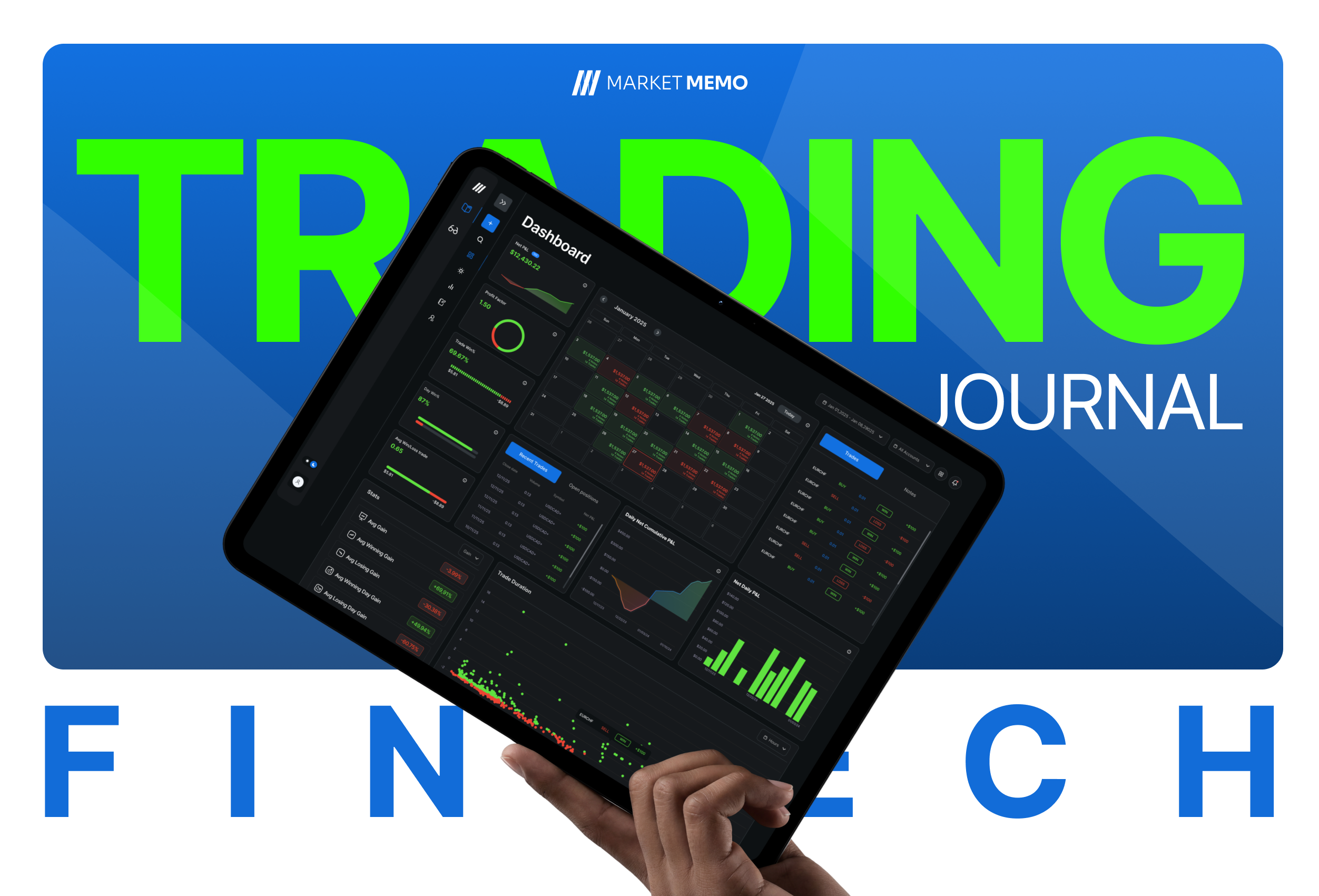
Market Memo is an automated trading journal. Users connect trading accounts from supported platforms or create manual accounts. The platform then organizes their activity into a single environment for review and analysis.
- Broker integrations
- Historical trade import
- Live trade synchronization
- Performance analytics
- Daily journaling
- Trade-level notes
- Tags and categories
- Mood tracking
- Search
- Economic context
- Subscriptions
- Mobile notifications
- Administrative operations
- Optional AI-assisted journaling
The frontend is a web application and is also packaged into native iOS and Android applications from the same React codebase.
02
System Architecture
Market Memo is divided into bounded areas rather than one application doing everything.
- 01
Client layer
React · TypeScript web, packaged to iOS and Android
- 02
Product API
FastAPI owns users, accounts, trades, notes, billing
- 03
Background processing
Workers for onboarding, analysis, teardown, schedules
- 04
Broker integration layer
Isolates vendor auth, polling, and payload shape
- 05
Data & messaging
PostgreSQL for durability · queue for async workflows
- 06
Platform layer
Kubernetes · Helm · Helmfile for deploy, scale, observe
Each area operates according to its own workload. Interactive requests do not share a lifecycle with broker imports.
Each part of the system operates according to its own workload.
03
Core Product Flow
A typical user journey crosses nearly every architectural layer. The complete experience appears synchronous even though several parts of the workflow are asynchronous.
- 01
User registers
- 02
User subscribes
- 03
User connects a broker
- 04
Backend creates onboarding state
- 05
Broker integration completes
- 06
Trades are normalized
- 07
Analytics are generated
- 08
Frontend requests analysis
- 09
New trades arrive live
Sequence, not a live stream: each step is a stage in onboarding. The product feels synchronous; several stages are not.
04
Web & Mobile Architecture
The client is a React and TypeScript single-page application. The same production web build creates native iOS and Android apps. That avoided maintaining separate web and React Native product implementations.
- React
- TypeScript
- Vite
- React Router
- Redux
- Tailwind
- D3
- Chart.js / Recharts
- Capacitor
Platform-specific behavior stays isolated where required:
- OAuth callbacks
- Mobile navigation
- Push notifications
- Native permissions
- Redirect behavior
Shared product logic, with small platform-specific branches — not three independent applications.
Membership: web, iOS, and Android share the same product build. Static lines — this is packaging, not a data path.
05
Frontend State Architecture
Global state stays relatively small. Redux holds only what many modules genuinely need to share.
- User information
- Selected trading account
- Global date range
- Theme
- Tags
- Notifications
- Dashboard layout
- Account-sync progress
Large screen-specific datasets remain local. Trade history, search results, and chart series are not copied into one global store.
Selected account and date range become global query context. Changing either causes dashboard, journal, trade log, notebook, and search to request their own data.
Membership: account and date range are query context for every module. Modules fetch their own data — this is not a trade bus.
06
Dashboard & Analytics UX
The dashboard answers one question: how am I trading?
- Net P&L
- Win rate
- Profit factor
- Average win / loss
- Trade count
- Equity charts
- P&L charts
- Trading calendar
- Duration analysis
- Recent trades
- Open positions
- Hourly breakdowns
Desktop and mobile use different layouts. Win/loss colors propagate into charts, tables, and calendars. Data is scoped around selected account and date range.
The frontend requests already-computed analytics rather than downloading raw trades and calculating metrics in the browser.
Flow: the client sends query context. The API returns already-computed analytics — not a dump of raw trades.
07
Journal Architecture
Market Memo supports journaling at two levels.
Daily notes
Write about an entire trading session.
Trade notes
Document an individual trade with its context.
Notes can include:
- Rich text
- Tags
- Mood
- Templates
- Images
- Trade context
The same editor opens from:
- Dashboard
- Daily journal
- Trade log
- Search
- Notifications
- 01
Open from any product surface
- 02
Shared journal modal
- 03
Daily note or trade note
Sequence: a trader can open the same editor from dashboard, journal, trade log, search, or a notification.
08
Notebook & Autosave
The notebook is a dedicated writing environment. Autosave is debounced while the user writes.
- Daily notes
- Trade notes
- Search
- Filtering
- Tags
- Templates
- Rich text
- Images
- Deep links
- Bulk actions
Save frequently enough that writing is not lost, but do not send a request on every keystroke.
Editor state preserves cursor position, scroll position, selected note, and template insertion. Rich-text HTML is sanitized before render because stored markup is an XSS boundary.
09
Broker Connections
Broker connectivity is one of the most complex workflows in the product. Supported account models include:
- MetaTrader-style platforms
- OAuth-connected futures platforms
- Other third-party trading platforms
- Manual accounts
Some connections need credentials. Some need OAuth. Some finish instantly. Others take minutes to authenticate, provision, retrieve history, normalize trades, and generate analytics.
The UI treats broker connection as a stateful asynchronous job, not as a simple form submission.
10
Broker Connection State Machine
The backend keeps staging state while the job runs. The frontend polls that state and shows understandable progress. Progress survives page refreshes. The account-creation worker can recover unfinished jobs after a process restart.
- 01
Create connection
- 02
Authenticate
- 03
Wait for provider
- 04
Load historical trades
- 05
Normalize trades
- 06
Store trades
- 07
Generate analytics
- 08
Activate account
Sequence: onboarding is a recoverable state machine. The UI polls progress; it does not hold an HTTP request open.
11
Desktop vs Mobile OAuth
Broker OAuth created an important web/mobile split. Desktop can use a popup. WebView and mobile browser behavior makes popups unreliable, so mobile uses a full-page redirect and restores connection context on the way back.
Desktop
Provider opens in a popup → callback route → parent window receives the result → popup closes.
Mobile
Full-page provider redirect → callback route → restore connection context → return to account setup.
Structure: desktop uses a popup handshake. Mobile uses a full-page redirect. Packets would imply one socket — there is not one.
One broker-connection flow, with transport adapted to the client platform.
12
Trade Ingestion
Once an account is active, new activity no longer goes through the initial import workflow. Live events arrive through integration callbacks.
Flow: a webhook is authenticated and normalized, then the trade is written. Notification and stale-analytics leave from that write — they do not block each other.
Normalization covers broker-specific symbols, timestamps, numeric formats, ticket formats, order types, and partial-close behavior so the product keeps one internal trading model.
13
Normalizing Trading Data
Trading integrations rarely agree on data shape. The integration layer converts those variations into a common domain representation. Money uses decimal-safe handling where accuracy matters. Unknown event types can be ignored rather than crashing ingestion.
Symbols
EURUSD vs EURUSD.sfx
Money
Floating-point values vs decimal strings
Tickets
Numeric vs string identifiers
Time
UTC vs broker-specific timestamps
Partial closes
Explicit events vs relationships encoded in comments
Flow: each adapter converts inbound shape into Market Memo's domain. Unknown event types stop at the adapter instead of crashing ingestion.
Vendor-specific assumptions should not spread through analytics, search, and the frontend.
15
Backend API Architecture
The product API is built with:
- Python
- FastAPI
- Uvicorn
- asyncpg
- PostgreSQL
- Pydantic
- RabbitMQ-compatible messaging
Views stay relatively thin. Database queries are explicit, especially for analytics and search. External providers sit behind client adapters. Async I/O matters because many workloads wait on broker APIs, payments, email, storage, and the database.
- 01
Route
- 02
Authentication / authorization
- 03
View
- 04
Query or integration client
- 05
Database / external service
Flow: every request walks the same layers. Views stay thin; queries and adapters sit behind them.
16
Background Workers
Operations that can take seconds or minutes move outside the HTTP lifecycle. Messaging introduces retries and crash recovery without keeping a request open.
Account Creator
Completes broker onboarding and historical import.
Account Remover
Cleans up disconnected broker integrations.
Scheduler
Runs recurring work: trials, renewals, dunning.
Analysis Worker
Refreshes stale analytics without blocking HTTP.
General Task Workers
Handle other asynchronous jobs with retries.
Flow: the API enqueues work and returns. Packets leave the queue toward independent workers — a broker import does not occupy the HTTP request.
17
Analytics Engine
Calculating everything from raw trades on each dashboard load gets more expensive as account history grows. The backend maintains derived analysis tables instead.
- Win rate
- P&L
- Trading volume
- Commissions
- Swaps
- Long vs short
- Drawdown
- Consecutive wins / losses
- Risk / reward
- Expectancy
- Sharpe
- Sortino
- Asset analysis
- Tag analysis
- Hourly performance
- Daily / weekly / monthly
Live ingestion stays a cheap write path. When trades change, the account is marked stale. A background process refreshes derived metrics — a lightweight CQRS-style split.
Derived tables cover Win rate · P&L · Trading volume · Commissions · Swaps · Long vs short and more — without scanning every fill on dashboard load.
Flow: raw trades are cheap to write. Analysis runs later. The dashboard reads precomputed metrics, not the full fill history.
18
Atomic Analytics Rebuilds
Full rebuilds raise another question: what do readers see while data is being rebuilt? They should never see a partial dataset.
Existing analysis
Continues serving dashboards and calendars. Users never read a half-built table.
New analysis
Generated separately, scoped to the account that changed.
- 01
Build replacement
- 02
Atomic swap
- 03
New dataset is active
Structure: readers keep using the live dataset while a replacement is built. The only motion that matters is the atomic swap at the end.
Per-account refreshes update only the account that changed, avoiding unnecessary global work.
19
Billing & Subscription Architecture
Market Memo includes full SaaS subscription management. The backend uses a provider-agnostic subscription model. Payment processors remain authoritative; webhooks synchronize the product when events happen outside an active browser session.
- Subscription plans
- Monthly / yearly billing
- Trials
- Coupons
- Card payments
- Cryptocurrency payments
- Payment-method updates
- Cancellation
- Reactivation
- Payment history
- Grace periods
- Failed-payment recovery
- 01
Configure
- 02
Initiate
- 03
Authorize / pay
- 04
Finalize
- 05
Webhook confirmation
- 06
Active subscription
Sequence: product state is configured locally, then payment processors remain authoritative. Webhooks confirm what happened outside the browser.
20
Subscription Lifecycle & Dunning
Subscription state keeps changing after checkout. The scheduler handles:
- Trial expiration
- End-of-period cancellation
- Failed renewal
- Grace periods
- Collection retries
- Final deactivation
On final expiration the system can revoke premium access, disable connected accounts, update marketing status, and schedule broker teardown. Calendar billing periods need special handling so dates such as the 31st behave consistently across shorter months.
Time-based
Trial expiration, end-of-period cancellation, calendar billing dates including the 31st.
Collection
Failed renewal, grace period, retries, then final deactivation.
Teardown
Revoke premium, disable connected accounts, update marketing status, schedule broker teardown.
21
Authentication & Authorization
Backend authorization is composed from reusable FastAPI dependencies, kept visible at the route boundary instead of scattered through business logic.
- Authenticated
- Verified email
- Active subscription
- Account ownership
- Minimum access level
- Read vs write permission
A client-supplied account ID is never treated as authorization by itself. Ownership is checked server-side on every account-scoped route.
Administrative support includes controlled impersonation. Sensitive impersonated actions stay constrained, and relevant operations are audit logged.
22
Kubernetes Platform
Market Memo runs as a multi-service Kubernetes platform. Application and broker-integration areas use separate databases. Public traffic enters through ingress. Internal services communicate through cluster networking.
The Kubernetes repository defines how images become a running environment. It does not contain the application source.
Flow: only ingress traffic is animated — into the frontend and the API. Other workloads belong to the cluster; they are listed, not implied as subscribers of that request.
23
Broker Proxy as a Separate Domain
Broker integrations were intentionally separated from the journal backend. The proxy owns provider authentication, connection state, polling, provider-specific lifecycle, and broker-specific data — and it has its own database.
A slow or unstable broker should not directly destabilize journaling, billing, analytics, or user authentication.
The proxy has its own database and splits workers by provider, lifecycle, and resource type.
Flow: the journal API talks to the proxy, the proxy talks to brokers. A slow vendor should not sit on the journaling, billing, or auth path.
24
Deployment Architecture
Staging and production share the same overall structure. Configuration is composed in layers. Releases are driven by explicit image tags so frontend, backend, and proxy can version independently.
- 01
Shared defaults
- 02
Infrastructure outputs
- 03
Environment configuration
- 04
Encrypted secrets
Sequence: shared defaults, then infrastructure outputs, then environment config, then encrypted secrets. Image tags move independently per service.
Database migrations run before new API replicas receive traffic. APIs use rolling deploys. Queue workers use different rollout behavior when two generations running together could duplicate processing.
25
Safe Deployment Controls
Deployment safety is part of the platform. Tooling validates target environment, Kubernetes context, source-control state, and explicit image versions so accidental cross-environment deploys are harder.
- Target environment
- Kubernetes context
- Source control state
- Explicit image versions
Common operations are encoded in tooling so the correct sequence does not depend on memory.
26
Autoscaling
Different workloads scale for different reasons. HTTP APIs may get busy before CPU saturation because much of their work is I/O-bound.
- CPU
- Memory
- Application metrics
- Request rate
- Ingress traffic
Flow: metrics inform the scaler, then replicas change. A broker-connection spike does not have to scale the journal API at the same rate.
27
Observability
Monitoring is part of the environment definition, not something configured manually after deploy. Metrics exist for both API and worker processes — a failed worker may never produce a visible HTTP 500.
Prometheus
Metrics collection
Grafana
Dashboards
Loki
Centralized logs
Grafana Alloy
Log collection
Metrics Server
Resource metrics
Error tracking
Application-level failures
Membership: metrics, logs, and error tracking belong with the cluster definition. A failed worker may never produce an HTTP 500.
28
Performance
Performance work exists at several layers. The strategy is to avoid repeating expensive work on interactive paths.
Frontend
Route-level lazy loading, debounced search and autosave, parallel independent requests, controlled chart redraws, section-level loading states.
Backend
Asynchronous I/O, explicit SQL, keyset pagination, connection pooling, precomputed analytics.
Platform
CDN-backed object storage, ingress compression, autoscaling, independently sized workers.
29
Reliability
Several workflows assume external systems will fail.
- Broker downtime
- Invalid credentials
- Provider rate limits
- Worker restarts
- Payment retries
- Failed webhooks
- Database latency
- Mobile OAuth interruption
The system uses:
- Staging state machines
- Queue retries
- Delayed redelivery
- Idempotent operations
- Polling
- Crash recovery
- Webhook reconciliation
- Health checks
- Readiness probes
Incomplete broker onboarding can be re-enqueued after a worker restart rather than remaining permanently stuck.
30
Security
The browser is not treated as the final security boundary. Authorization, billing state, account ownership, and sensitive operations remain server-enforced.
Client
Rich-text sanitization, role-aware UI, payment tokenization, controlled credential handling.
Backend
Argon2 password hashing, signed JWTs, hashed one-time tokens, account ownership checks, role-based authorization, verified webhooks, upload type and size restrictions, administrative audit logs.
Platform
Encrypted secrets, TLS, non-root containers, restricted capabilities, private container images, internal-only service endpoints, namespace isolation.
31
Important Technical Decisions
Several architectural decisions shaped Market Memo.
One frontend for web and native
Use Capacitor to share the React product while isolating mobile-specific behavior.
Small global state
Keep shared product context global while leaving large screen datasets local.
Broker integration as asynchronous workflow
Account setup can take minutes and should not occupy an HTTP request.
Broker proxy as a separate context
Prevent provider-specific behavior from spreading through the journal backend.
Materialized analytics
Precompute expensive statistics rather than scanning full trade history on every dashboard request.
Shared journaling components
Use the same note workflows across calendar, dashboard, search, and trade log.
Explicit SQL
Keep analytics queries observable and optimizable.
Queue-based background processing
Separate user-facing latency from slow integration work.
Provider-agnostic billing
Keep product subscription state stable while payment rails vary.
One deployment structure across environments
Reduce environmental drift between staging and production.
32
Engineering Challenges
Each hard problem produced a corresponding architectural rule.
01
Each provider exposes different authentication, account, trade, and lifecycle models.
Normalize them behind integration adapters and a dedicated proxy domain.
02
Account initialization can require authentication, history retrieval, and analytics generation.
Use staging state, queues, workers, retries, and pollable progress.
03
Calculating every metric directly from raw fills makes dashboard latency increase with account age.
Materialize analysis into dedicated read models and refresh them asynchronously.
04
Popup-based OAuth works differently inside native mobile environments.
Maintain two transport flows around the same underlying connection lifecycle.
05
Cards, crypto, webhooks, trials, coupons, grace periods, and renewals need to produce one subscription model.
Use a shared subscription state machine with provider adapters.
06
Several modules need journaling without creating several incompatible editors.
Share editor behavior, templates, autosave, tags, and note state.
07
HTTP APIs, analytics, broker polling, schedulers, and account workflows have different scaling needs.
Deploy dedicated Kubernetes workloads with independent resource and scaling policies.
33
Project Scale
Market Memo is not a single application repository. The frontend alone contains hundreds of TypeScript files and more than one hundred tests, which made shared application context and reusable infrastructure increasingly important as the product expanded.
- React / TypeScript frontend
- Web, iOS, and Android delivery
- Python / FastAPI backend
- Broker integration services
- Multiple asynchronous worker types
- Multiple relational databases
- Message queues
- Payment integrations
- AI integration
- Push notifications
- Object storage
- Kubernetes deployment infrastructure
- Monitoring and logging infrastructure
Membership: frontend, backend, broker, cluster, queues, and observability are separate deliverables of the same product.
34
Project Summary
Market Memo can be understood as four connected engineering systems. The main architectural theme across all four is separation of responsibilities.
Product experience
React · TypeScript · D3 · Redux · Capacitor
Product backend
Python · FastAPI · PostgreSQL · async I/O
Integration & processing
Message queues · broker proxy · workers · schedulers
Platform
Kubernetes · Helm · Helmfile · Prometheus · Grafana · Loki
What that separation buys
- Interactive requests stay fast
- Broker integrations stay isolated
- Analytics grow independently of raw ingestion
- Mobile and web share the same product model
- Background work retries without holding user requests
- Infrastructure stays separate from application code
The result is one trading-journal product built from systems that can evolve independently without requiring each feature to understand the entire platform.
Flow: the client talks to the API and gets an answer. Slow work leaves through the queue. Broker isolation and analytics refresh live on that second path.